> ## Documentation Index
> Fetch the complete documentation index at: https://tracecat-codex-docs-secrets-oauth-discoverability.mintlify.site/llms.txt
> Use this file to discover all available pages before exploring further.
# MCP servers
> Connect custom remote and stdio MCP servers to Tracecat agents, or use the Enterprise catalog of preconfigured servers.
## Overview
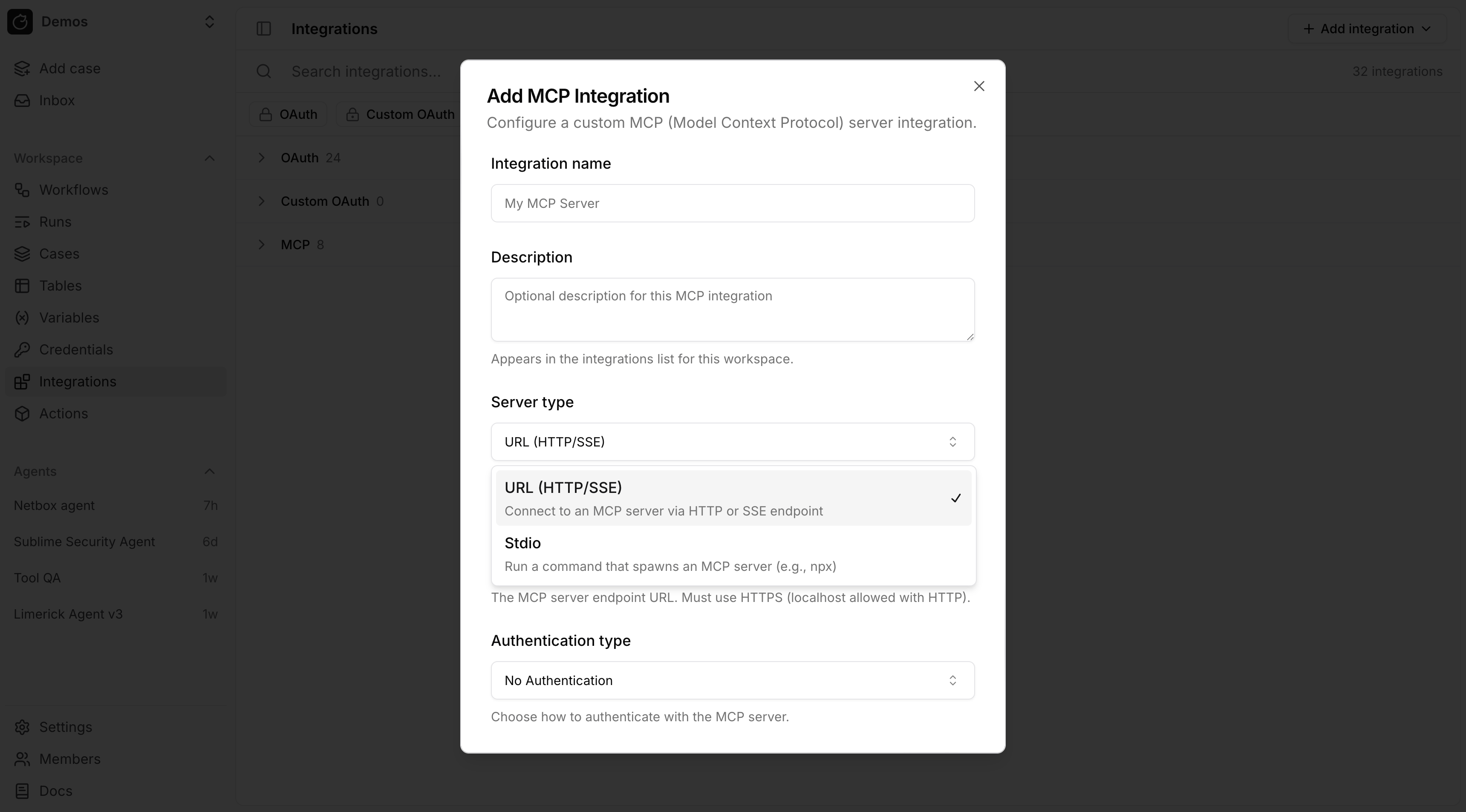
Tracecat supports two MCP integration types:
* Remote MCP over URL (`HTTP` or `SSE`)
* Local MCP over `stdio`
## Availability
Open source
In open-source deployments, bring your own remote or `stdio` MCP server. Select the saved integration in the `mcp_integrations` input on `ai.agent`.
Enterprise Edition
Enterprise includes a catalog of 50+ preconfigured MCP servers with guided connection setup, including Splunk, SentinelOne Purple AI, CrowdStrike Falcon, Microsoft Sentinel, Elastic, Wiz, GreyNoise, and PagerDuty. You can also attach MCP integrations to reusable agent presets.
 ## Remote MCP
Use remote MCP when the server is exposed over a URL.
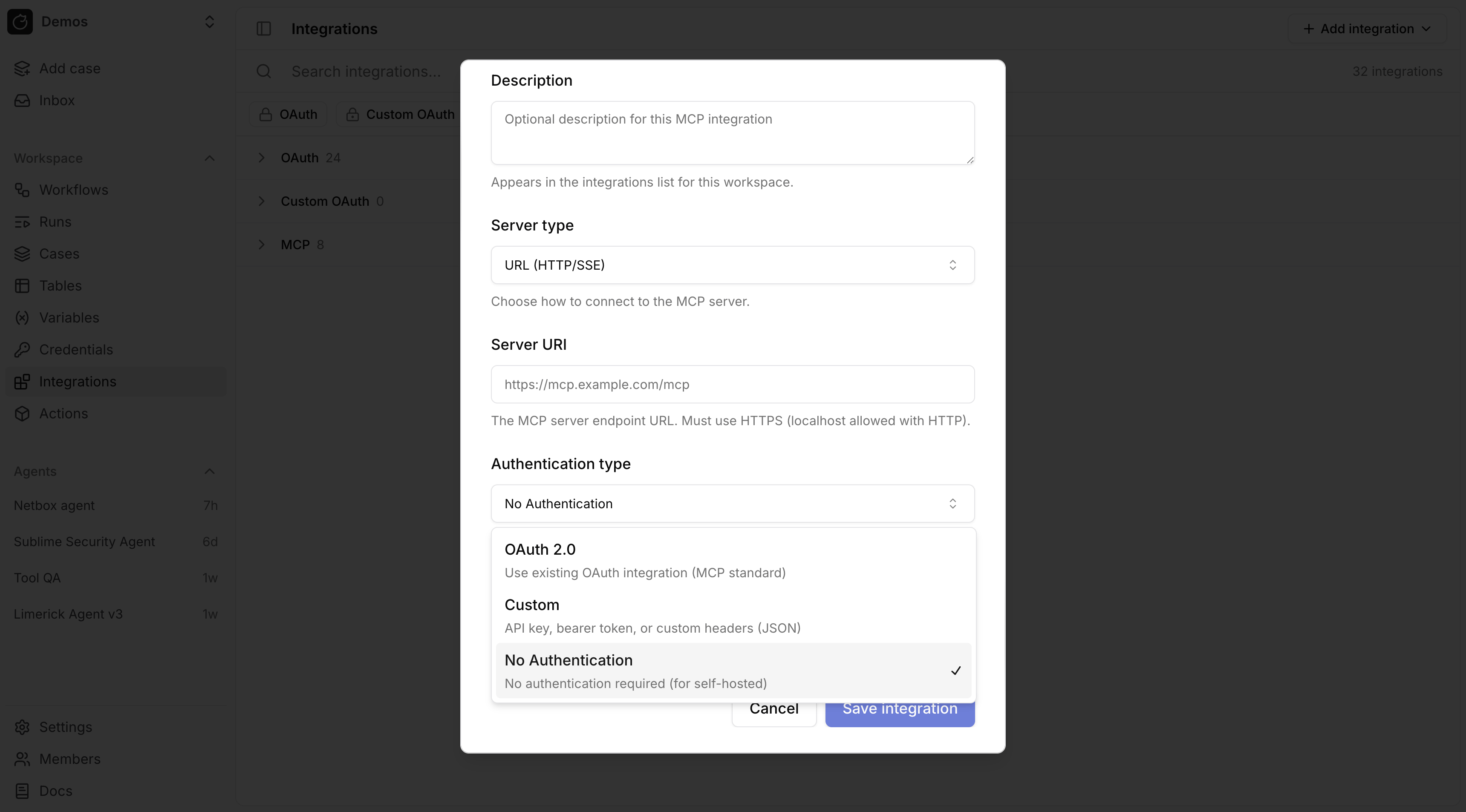
Authentication modes:
* No Authentication
* Custom
* OAuth
## Remote MCP
Use remote MCP when the server is exposed over a URL.
Authentication modes:
* No Authentication
* Custom
* OAuth
 ### OAuth for remote MCP
For remote MCP with OAuth, link the MCP integration to an existing OAuth integration. Tracecat refreshes the token and sets the `Authorization` header automatically.
For a custom remote MCP server, first create a custom OAuth provider in [OAuth](/automations/integrations/oauth-integrations), then attach it to the MCP integration.
### Custom headers for remote MCP
`Custom` authentication stores request headers as JSON.
```json theme={null}
{
"Authorization": "Bearer token123",
"X-API-Key": "abc123"
}
```
Remote MCP custom header JSON does not resolve `${{ SECRETS.* }}` or `${{ VARS.* }}`. Header values are sent as literal strings.
## Stdio MCP
Use `stdio` MCP when Tracecat should launch a local command such as `npx`, `uvx`, or a custom binary.
`stdio` environment variables support Tracecat expressions.
```json theme={null}
{
"GITHUB_TOKEN": "${{ SECRETS.github.TOKEN }}",
"GITHUB_HOST": "${{ VARS.github.host }}"
}
```
Tracecat resolves those expressions from the workflow default environment unless overridden in action control flow.
## Secrets and variables in MCP configuration
Expression support differs by MCP integration type:
* `stdio` environment variables support `${{ SECRETS.* }}` and `${{ VARS.* }}`.
* Remote MCP OAuth mode does not need secret expressions for the bearer token because Tracecat injects the OAuth token automatically.
* Remote MCP custom header JSON does not currently resolve `${{ SECRETS.* }}` or `${{ VARS.* }}`.
## Related pages
* See [AI agent](/agents/ai-agent) for `ai.agent` and `ai.preset_agent` inputs and examples.
* See [OAuth](/automations/integrations/oauth-integrations) for custom OAuth providers and OAuth token expressions.
* See [Secrets](/automations/core-concepts/secrets) for environment-scoped secret resolution.
* See [Variables](/automations/core-concepts/variables) for non-secret values used in `stdio` environment variables.
### OAuth for remote MCP
For remote MCP with OAuth, link the MCP integration to an existing OAuth integration. Tracecat refreshes the token and sets the `Authorization` header automatically.
For a custom remote MCP server, first create a custom OAuth provider in [OAuth](/automations/integrations/oauth-integrations), then attach it to the MCP integration.
### Custom headers for remote MCP
`Custom` authentication stores request headers as JSON.
```json theme={null}
{
"Authorization": "Bearer token123",
"X-API-Key": "abc123"
}
```
Remote MCP custom header JSON does not resolve `${{ SECRETS.* }}` or `${{ VARS.* }}`. Header values are sent as literal strings.
## Stdio MCP
Use `stdio` MCP when Tracecat should launch a local command such as `npx`, `uvx`, or a custom binary.
`stdio` environment variables support Tracecat expressions.
```json theme={null}
{
"GITHUB_TOKEN": "${{ SECRETS.github.TOKEN }}",
"GITHUB_HOST": "${{ VARS.github.host }}"
}
```
Tracecat resolves those expressions from the workflow default environment unless overridden in action control flow.
## Secrets and variables in MCP configuration
Expression support differs by MCP integration type:
* `stdio` environment variables support `${{ SECRETS.* }}` and `${{ VARS.* }}`.
* Remote MCP OAuth mode does not need secret expressions for the bearer token because Tracecat injects the OAuth token automatically.
* Remote MCP custom header JSON does not currently resolve `${{ SECRETS.* }}` or `${{ VARS.* }}`.
## Related pages
* See [AI agent](/agents/ai-agent) for `ai.agent` and `ai.preset_agent` inputs and examples.
* See [OAuth](/automations/integrations/oauth-integrations) for custom OAuth providers and OAuth token expressions.
* See [Secrets](/automations/core-concepts/secrets) for environment-scoped secret resolution.
* See [Variables](/automations/core-concepts/variables) for non-secret values used in `stdio` environment variables.